How to Create AI Videos Daily for Free with Google Flow (2026 Guide)
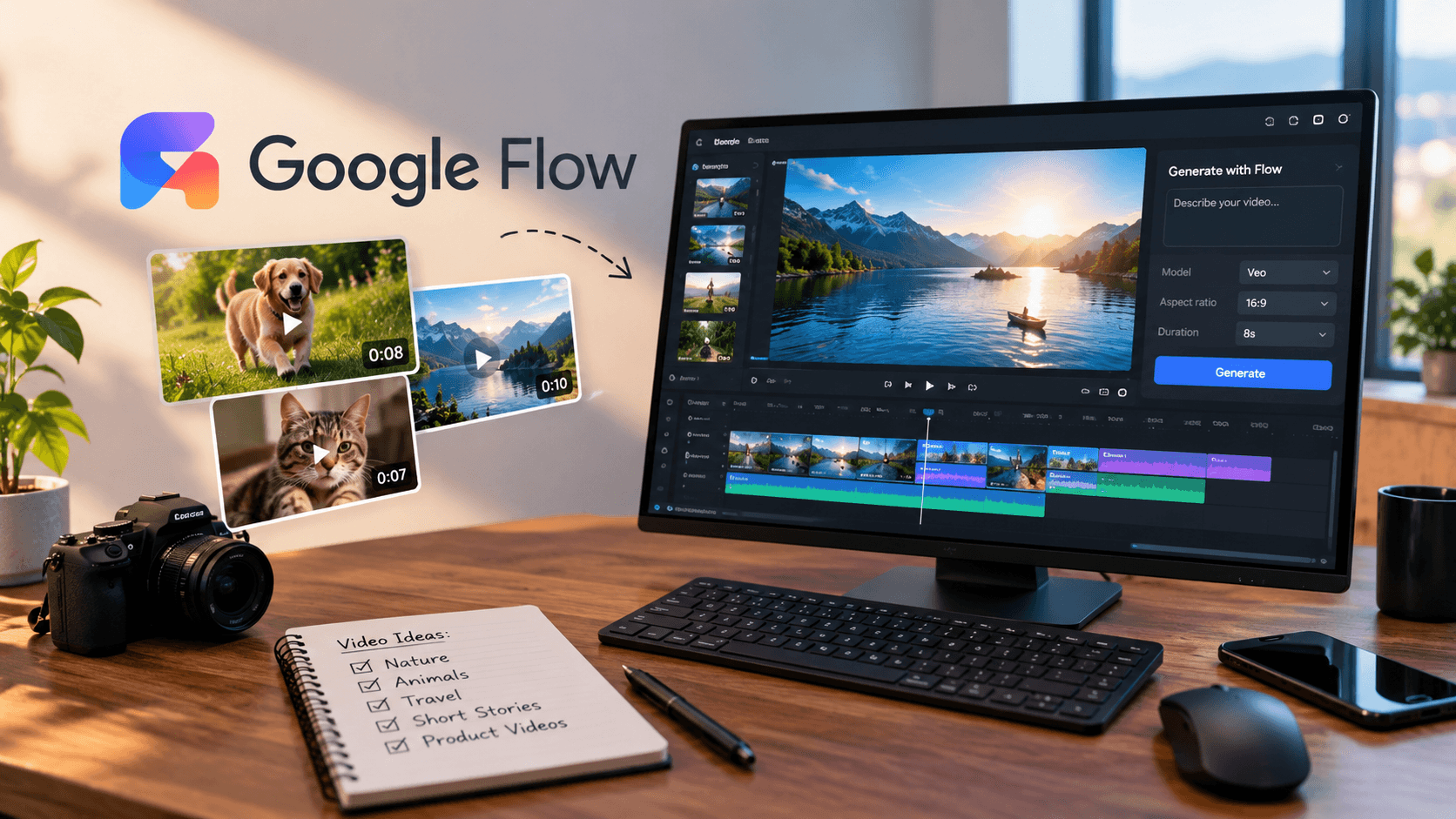
Want to create AI videos every day without spending money on expensive video production tools? Google Flow makes it possible to turn text prompts and reference images into cinematic video clips that you can use for YouTube Shorts, TikTok, Instagram Reels, and other creative projects.
In this beginner-friendly guide, you will learn how to use Google Flow, create realistic AI videos, write better prompts, and build a repeatable daily video workflow using the available free credits.
What Is Google Flow?
Google Flow is an AI filmmaking tool from Google that combines generative video and image models with creative editing tools. It helps you create scenes from text descriptions, animate images, refine video clips, and combine multiple clips into a sequence.
Depending on your access and the features available to your account, Flow can help you create cinematic scenes, realistic animal videos, short stories, product visuals, and social media content. Its supported models and features can change over time.
Can You Create AI Videos for Free With Google Flow?
Google Flow offers a free access option with daily generation credits, according to Google's current Flow information. The available credits and video-generation options depend on your account, region, selected model, and current usage limits. Google also notes that video generation may be restricted during peak hours for users without a subscription.
Free access does not mean unlimited video generation. Some models and features consume more credits than others, so check the credit balance and generation settings displayed in your account before creating a video.
Start here: Open Google Flow.
Step 1: Choose a Video Niche
Before generating your first clip, decide what kind of videos you want to publish consistently. A focused niche makes it easier to develop ideas and attract an audience that knows what to expect.
- Realistic animal videos: Puppies playing, curious cats, and wildlife moments.
- Mini stories: Short adventures with a beginning, middle, and ending.
- Nature and travel: Cinematic landscapes, waterfalls, forests, and imaginary destinations.
- Educational videos: Simple explanations of science, technology, and history.
- Product videos: Creative demonstrations and promotional concepts.
Choose one main niche for your first month. This gives you a clearer content strategy and helps you understand which ideas your audience enjoys.
Step 2: Open Google Flow and Start a Project
- Visit the official Google Flow website.
- Sign in with your Google account and check whether free access is available to you.
- Create a new project.
- Open the generation settings and choose a supported video model.
- Select the aspect ratio and video duration available for your chosen model.
- Enter a detailed prompt describing the scene you want to create.
- Generate the clip and review the result.
The interface and available settings can change. If video generation is unavailable, check your account eligibility, regional availability, credit balance, and any temporary usage restrictions.
Step 3: Write Better AI Video Prompts
The quality of your prompt can make a major difference to your results. Instead of writing only “a cute puppy,” describe the subject, action, location, lighting, camera movement, and visual style.
A useful prompt structure is:
Subject + Action + Environment + Camera Movement
+ Lighting + Visual Style + Duration
For example, describe a golden retriever puppy running across a grassy garden, a low-angle tracking shot, soft morning sunlight, realistic fur, natural shadows, and handheld smartphone footage.
Step 4: Copy These AI Video Prompts
Prompt 1: Realistic Puppy Video
Create a photorealistic 8-second video that looks like
an ordinary person captured it using a modern smartphone.

A small golden retriever puppy discovers a colorful
fallen leaf in a backyard and playfully jumps toward it.
The puppy briefly slips on the grass, regains its balance,
and looks curiously toward the camera.

Natural animal movement, realistic fur detail, authentic
daylight, subtle handheld camera shake, imperfect framing,
natural background ambience, documentary-style footage.

No animation, no cartoon appearance, no artificial CGI look,
no text, no logos. Keep the puppy's appearance consistent
throughout the shot.
Prompt 2: Cat vs. Puppy Moment
Create a realistic short smartphone video of a curious
orange cat sitting on a living-room rug while a playful
puppy slowly approaches.

The cat gently raises one paw as the puppy pauses and
tilts its head. The puppy then steps backward in surprise.
Capture natural animal behavior, believable movement,
soft indoor daylight, realistic fur, and authentic
handheld camera footage.

Single continuous shot, natural timing, no cartoon effects,
no text, no exaggerated or aggressive behavior.
Prompt 3: Cinematic Nature Video
Create a photorealistic cinematic video of a hidden
waterfall deep inside a tropical rainforest after rain.

Water flows over moss-covered rocks, leaves move gently
in a light breeze, and sunlight filters through the trees.
The camera slowly moves forward at eye level.

Natural water motion, detailed foliage, realistic mist,
balanced exposure, authentic environmental ambience,
professional nature documentary style, no text or logos.
Replace the subject, action, and setting to create fresh ideas. AI-generated footage can contain visual mistakes, so review each clip before publishing it.
Step 5: Create a Complete Short Video From Multiple Clips
A single AI-generated clip may be too short to tell a complete story. Instead, create a few connected scenes and combine them using Flow's available scene-building tools or a video editor.
- Hook: Show the most interesting moment immediately.
- Setup: Introduce the subject or situation.
- Action: Show the main event.
- Payoff: End with a funny, surprising, or satisfying moment.
For example, a 20-second animal short could contain three clips: a puppy discovers a toy, tries to reach it, and finally grabs it. Generate the clips separately, then arrange and trim them into a coherent sequence.
Use reference images or frames when available to improve visual consistency between scenes. Keep the character's appearance, environment, lighting, and camera style similar across your prompts.
Step 6: Edit Your Video for YouTube Shorts and Reels
After generating your footage, assemble the best moments in a video editor. Choose a vertical 9:16 format for platforms such as YouTube Shorts, TikTok, and Instagram Reels. If your chosen generation model supports vertical video, select that option; otherwise, crop and reframe the footage carefully during editing.
- Remove unnecessary pauses and awkward transitions.
- Add readable captions when they improve the story.
- Use music and sound effects that you have permission to use.
- Balance audio levels and check the final video on a phone.
- Export at a suitable resolution and aspect ratio for the target platform.
Do not assume that AI-generated dialogue, sound effects, or on-screen text will always be correct. Check these elements manually.
Step 7: Build a Daily AI Video Workflow
Consistency becomes easier when you separate planning from production. Rather than inventing a new idea every time you open Flow, prepare a list of concepts and prompts in advance.
- Plan: Write seven short video ideas for the coming week.
- Generate: Use your available credits on the strongest ideas first.
- Review: Select clips with believable movement and a clear story.
- Edit: Add captions, suitable sound, and a strong opening.
- Publish: Write an accurate title, a short description, and relevant hashtags.
- Measure: Review audience retention, watch time, and engagement to guide future videos.
You may not be able to generate a finished video every day using free credits alone. Video generation costs vary by model and duration, and some days may have restrictions. To stay within your budget, plan around the credits available rather than repeatedly regenerating the same scene.
How to Make Your AI Videos More Engaging
- Start with a visual moment that makes people curious.
- Keep each short focused on one idea.
- Use realistic movement and natural-looking camera work when aiming for live-action footage.
- Avoid repeating the exact same story with only minor changes.
- Create your own scripts, edits, and recurring characters.
- Use analytics to find the formats that viewers actually enjoy.
AI video generation is a production tool, not a guarantee of views or subscribers. Originality, storytelling, editing, and audience understanding still matter.
Frequently Asked Questions
Is Google Flow free to use?
Google currently lists a free access option with daily credits, but available features, generation limits, and access conditions can change. Check the official Flow page and your account before planning a production schedule.
Can I make YouTube Shorts with Google Flow?
Yes. You can generate suitable footage and assemble it into vertical short-form videos. Choose a vertical aspect ratio when supported or reframe the clip in your editor.
Can I create realistic animal videos?
Yes. Detailed prompts describing natural movement, realistic lighting, camera behavior, and animal characteristics can help. Results vary, and you should review every generated clip.
Can I monetize AI-generated videos?
Potentially, depending on the platform's current monetization policies and the quality and originality of your content. AI-generated content is not automatically eligible for monetization. Review the relevant platform rules and disclose synthetic content when required.
How many videos can I create daily for free?
There is no single guaranteed number because models, clip durations, credit costs, and access restrictions vary. Check your current balance and the credit cost shown in Flow before each generation.
Final Thoughts
Creating AI videos daily with Google Flow can be an accessible way to experiment with storytelling, animal clips, cinematic scenes, and social media content without investing immediately in a traditional video production setup. Start with a focused niche, write detailed prompts, make the most of your available credits, and improve your editing through practice.
Most importantly, aim to publish original videos that give viewers a reason to watch. A repeatable workflow and compelling ideas will serve you better than simply generating as many clips as possible.
Official Resources
- Google Flow — Official website
- Google Flow credits and generation limits
- Google Flow video editing and scene-building guide
Last reviewed: October 2026. Google Flow features, pricing, free credits, and regional availability may change. Check the official resources for the latest information.